


System Architecture | Server/Browser |
Device Capacity | 500 in a single server |
Database | PostgreSQL (Default) / MySQL5.0.54 / MS SQL Server 2005/2008/2012/2014 / Oracle 10g/11g/12c |
Supported OS | Windows 8/8.1/10 / Server 2003/2008/2012 |
Suggested Browsers | IE 11+/ Firefox 27+/ Chrome 33+ |
Monitor Resolution | 1024 x 768 or Above |
Device | 100 | 200 | 500 |
CPU | Intel i3 Quad-Core | Intel i5 / Magny-Cours | Intel i7 / Magny-Cours |
RAM | 16G | 32G | 64G |
Storage | Available space of 100g or above. (We recommend using NFTS hard disk partition as the software installation directory.) | ||
|
System Architecture |
Server/Browser |
|
Device Capacity |
500 in a single server |
|
Database |
PostgreSQL (Default) / MySQL5.0.54 / MS SQL Server 2005/2008/2012/2014 / Oracle 10g/11g/12c |
|
Supported OS |
Windows 8/8.1/10 / Server 2003/2008/2012 |
|
Suggested Browsers |
IE 11+/ Firefox 27+/ Chrome 33+ |
|
Monitor Resolution |
1024 x 768 or Above |
|
Device |
100 |
200 |
500 |
|
CPU |
Intel i3 Quad-Core |
Intel i5 / Magny-Cours |
Intel i7 / Magny-Cours |
|
RAM |
16G |
32G |
64G |
|
Storage |
Available space of 100g or above. (We recommend using NFTS hard disk partition as the software installation directory.) |
||
- BioTime 8.5 Highlights
- Roster management
- Overtime management
- Integration with API
- Database migration
- New programming language
- Bio photo function
- Geofencing mobile punches
- New dashboard
- Features
- Web-based time attendance software
- Simple access control module
- Payroll management and WPS report
- Auto-synchronization of biometric templates
- Embedded HR integration
- Multi-level approvals and automatic e-mail alerts
- Employee self-service
- Multiple admin privilege
- Flexible shift scheduling and auto-shift
- Multi-languages
- Real-time data transmission
- Attendance calculation & reports
- Mobile APP

License Activation Manual

WhatsApp Configuration Manual

Integration Manual

BioTime Installation Guide

Installation Package

BioTime 8.5 API User Manual

Data Sheet

Introduction

BioTime 8.5 Data Sheet (AR)

BioTime 8.5 Introduction (AR)

Supported Devices List
a powerful time attendance software that provides a stable communication of up to thousands of time and attendance devices which can be remotely managed anywhere by accessing the software using a web browser.
The latest version is equipped with new competitive functions such as roster and overtime management which simplifies the entire scheduling process of employees, built-in API to connect on client’s 3rd-party software, database migration, bio photo, and geofencing mobile punches.
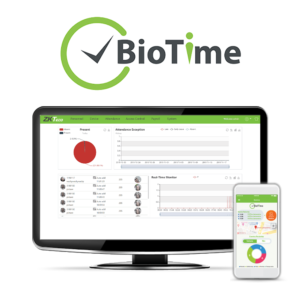
also features a new dashboard where users can easily monitor all attendance summary, device’s status, request approvals that are approved, rejected, and pending, and real-time punches.
Along with the features from the previous version, BioTime has never been this powerful. It gives the user full access and control in managing timetable, shifts schedule, generating attendance reports, and more.
Try the software: Click here
Username: admin
Password: admin
